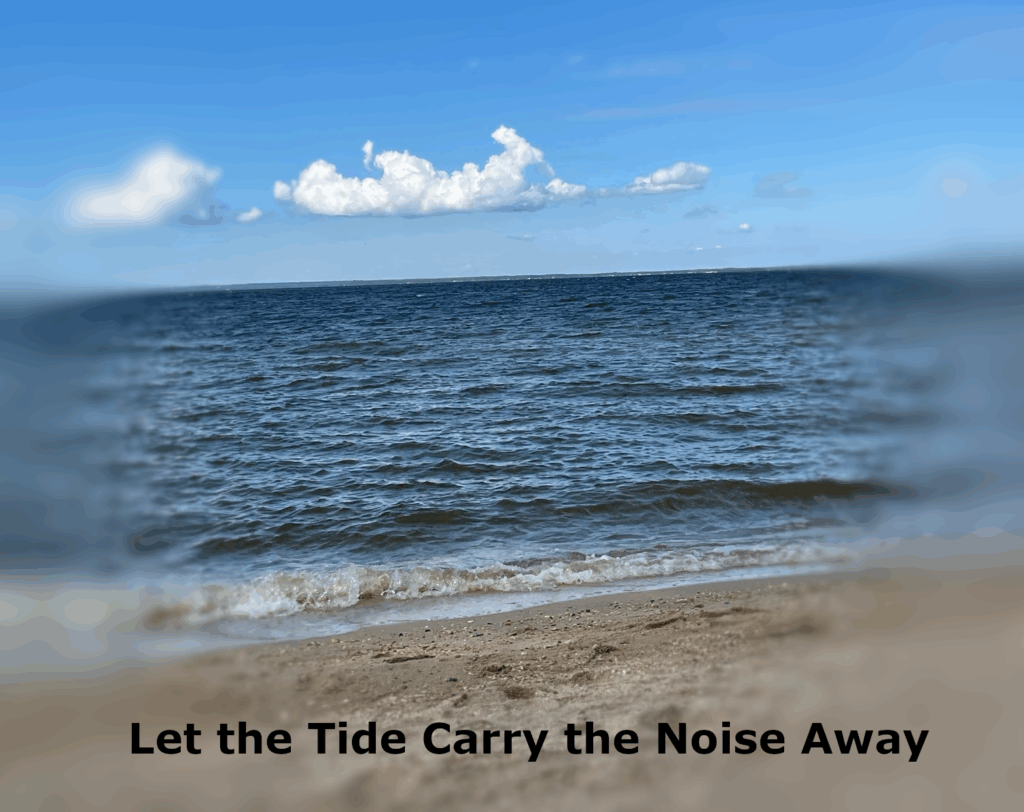
I made this poster after one of those weeks where the to-do list felt louder than the day itself. The shore that afternoon was anything but dramatic—no epic cliffs or thunderheads—just steady water, soft clouds, and a line of waves doing their thing. That’s exactly why I chose it. Calm on purpose.
Design-wise, I blurred the far left and right edges to quiet the background chatter and pull your eye to the horizon. The line sits low so the sky can breathe, and the title lives along the sand where your eye lands last. It’s a simple black, bold, sentence-case line: plain language for a plain truth.
Here’s some beach sounds I once recorded, so that you can really feel like you’re at the beach!
The quote is mine because the moment felt personal: sometimes you don’t fix the noise; you let something bigger carry it out. If you’ve ever stood at the edge and felt your shoulders drop two inches, you know the feeling. That’s the whole poster—one small invite to step closer and let the tide do its work.
As I wrap up this unit on design, I’m looking back at how the readings, the Vignelli Canon, and the hands-on blitz shaped the way I see and make things. This week moved me from “that looks cool” to “does this serve the message?” I feel like that shift is going to stick, not just in digital storytelling, but in general to any form of creativity.
Reflection on The Vignelli Canon
Post:Reflection Takeaway: start with a one-sentence so-what, then choose type, grid, and color that support it. Message, then Grid, then Type, and then Color.
Design Blitz (Digital Safari)
Post:Digital Safari Concepts covered: Balance, Dominance/Space, Color, Rhythm & Proportion. What it taught me: you can see design choices everywhere once you look; balance, hierarchy, and palette steer attention fast.
Personal Reflections & Lessons
What I learned: intent beats impulse. Clear message and tight structure reads better than any effect.
What changed: I’m working in this order now: message, grid, type, and then color. My edits are quicker because decisions are made up front.
Where I improved: spacing (equal gutters), image hierarchy, and captions that add context instead of noise.
Q&A
What did you learn? Design is a set of deliberate choices. Start with the message, then use a simple grid, tight type choices, real white space, and purposeful color to aim the viewer’s attention. If a choice doesn’t serve the message, it’s fluff.
What did you enjoy? Why? The Design Blitz hunting real examples made the principles stick. Writing one clean sentence for each photo forced me to say why it worked (or didn’t), which sharpened my eye more than any tutorial!
Conclusion
I learned that good design isn’t about making things look fancy, but rather it’s about making clear choices. I learned to start by asking what the message is, then think about how grid, type, space, and color can support it. I learned how much mood shifts with color alone, how balance keeps a layout from feeling off, and how a simple caption can add real context. Most of all, I learned to notice design everywhere!
Vignelli strips design down to the basics: meaning first, always maintain structure, and lastly keep discipline in the details. The booklet’s light on words because the point is simple: good design isn’t decoration, but rather it’s decisions.
What stuck with me
Semantics (meaning): decide the message before touching type or color. If the form doesn’t serve the message, it’s noise.
Syntactics (structure): use a grid, align edges, set a clear hierarchy.
Pragmatics (clarity): if people can’t read it fast, it fails.
Why it matters to me This gives me an order of operations I can actually follow: message first, then grid, next type, and lastly color. It’ll keep my posts cleaner and my images easier to read. This is exactly what I want as I keep building out the rest of this design unit!
Design is everywhere when you start looking! I went ahead and searched my arsenal of photos I’ve taken over the years to find which best spoke to various design features. These are all photos I took great pride in taking, but also ones that I feel best show off core ideas of design.
Balance (Asymmetrical)
The left third carries most of the weight: piling, ladder, and rod are dense verticals. The right side is mostly water/grass—negative space—which counterbalances the left without mirroring it. The diagonals of the railings lead the eye into the frame, then the vertical rod stops it. I thought the rod ironically made a really good divider in the center of the image, in order to truly see the “balance” of the image!
Dominance (Emphasis)
A single dark shape on a light, low-contrast field immediately dominates. The abundance of white/gray space makes the pose feel relaxed, and the long stretch creates a directional line toward the face. Minimal background detail keeps attention directly on Ollie. In general, there’s no second guessing the fact that Ollie is the main subject in this image.
Color (Mood)
This shot rides a limited warm palette of oranges and ambers, which reads as calm/epic. The dark tree silhouettes act as a cool counterweight so the sky stays the story. It’s a good reminder that color alone can swing emotion without changing subject matter!
Rhythm & Proportion
Repetition makes rhythm: rows of rooftops, windows, and the roads. Seeing dozens of near-identical houses also showcases proportion; each unit is small against the overall grid.
Conclusion
This photo hunt proved that design is everywhere. Once I started looking, I could see what grabs attention, what feels balanced, and how color sets the mood. It doesn’t have to be fancy, but rather just clear choices. I’m going to keep that in mind: say what I want the viewer to notice, give it space, and pick colors on purpose.
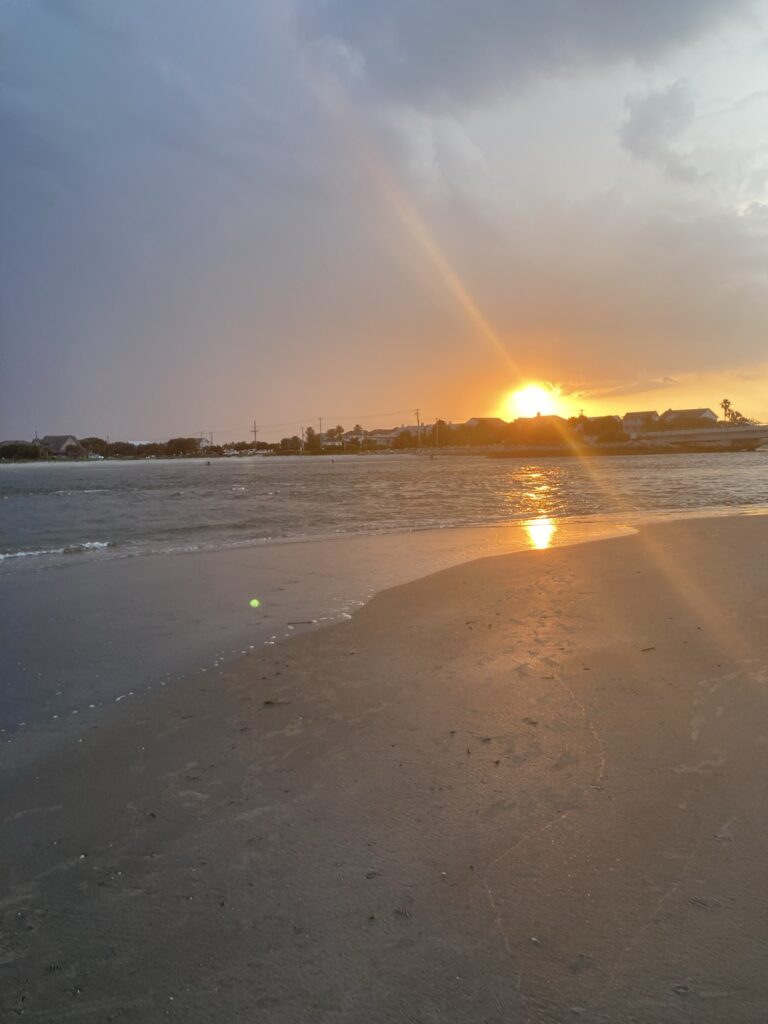
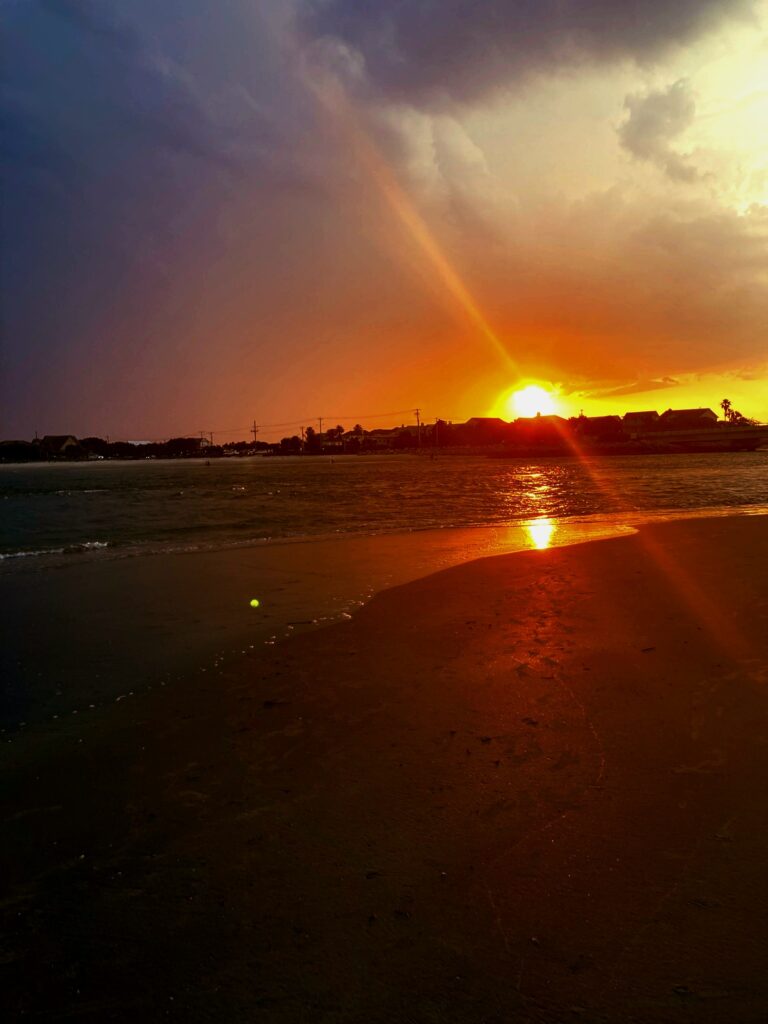
Same beach, same evening, two completely different stories. The first frame is the coast as it was; cool, airy, almost casual. The second is the coast as it felt five minutes later—heavy and cinematic. I didn’t move, nor change the time; only the sliders moved, and that was enough to change the mood.
What changes isn’t the shoreline; it’s the temperature of the light and the way the scene carries weight. In the first image, the sky leans blue and the sand reads neutral; good weather, typical for a beach day. In the second, warmth takes over. The sun streak turns amber, the wet sand glows, and the shadows deepen into near-black. By shifting color and contrast I pushed the scene from easy afternoon to a colorful dusk, and that one choice flips the narrative: from “nice walk” to “last light before a storm.”
The exercise proved how color temperature and contrast dictate mood faster than a new subject ever could. The original says “nice evening.” The graded version says something about maybe “a new time” or “a new day.” Something interesting I may try next time is trying a cooler, de-saturated grade for a melancholy take, and a high-key grade for nostalgia, just to see how far the same frame can stretch!
Colour is a power which directly influences the soul. -Wassily Kandinsky
The bottom line is that grading is story. The “before” records what the beach looked like; the “after” records how it felt to stand there with the wind picking up and the sun diving. Choosing between those versions is how I choose the emotion I want the viewer to carry away after seeing these images.
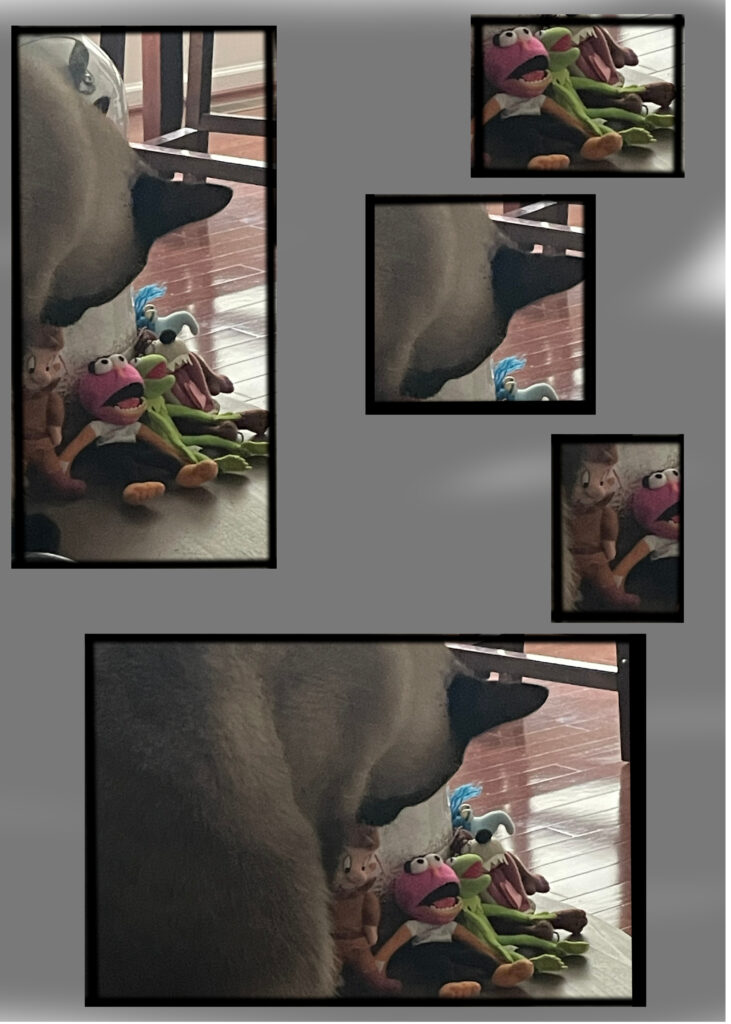
It started as a normal patrol. Ollie rounded the table leg and paused at the foot of the toy pile; the Muppet council under high alert and suspicious. One photo later, I carved the moment into panels to show the five seconds of silent negotiation between them and him.
Here’s a cowboy-standoff song you can play in the background to really set the scene of the story!
Panel 1 sets the scene: Ollie enters from the left, body tall, investigating the council. Panel 2 cuts to the toys; their open mouths seemingly talking amongst themselves about the growing danger. They’re feared a coup is underway. Panel 3 and 4 are zoom in; a standoff between the two parties. Who gives way first? And lastly the 5th panel showcases the result; the Muppets hold their ground. The table is theirs for another day.
The joke is small, but that’s why it works. Cropping one image into beats let me pace the moment like a comic: establish, reaction, tension, then the resolution. No speech bubbles were even needed to tell the story; just pictures! And to boot, one could interpret this comic in many different ways.
While creating this comic, what really surprised me was how much story lives inside one still frame once you choose. The first tall shot does the heavy lifting, but the ear crop and the toy close-up sell the tension. Next time I’ll test a hero panel across the top with three smaller beats below, and I may add a single caption bar to time the punchline better!
This unit pushed me to think beyond “nice pictures.” Between the readings, videos, and Assignment Bank work, I had to plan for story first and then use visuals, sound, and structure to make that story land. Below I’ve gathered my takeaways, the rough spots, and links to the work I produced.
Key Learnings
Intent beats impulse. Strong images came from deciding what the frame is about and removing everything that isn’t part of that idea.
Audience + purpose guide choices. From the DS videos, the seven elements (POV, Dramatic Question, Emotional Content, Voice, Soundtrack, Economy, Pacing) gave me a checklist I can actually use before I shoot or edit.
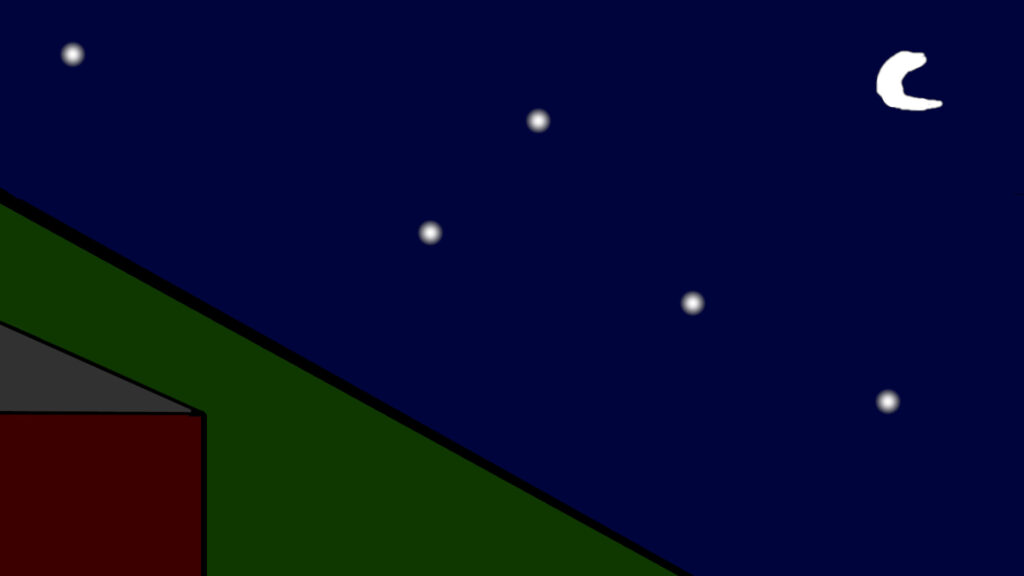
Constraints sharpen composition. The “4 lines, 5 dots, 1 curve” limit forced me to anchor the scene with a diagonal, balance the stars, and use one curve to seal the mood.
Context multiplies impact. Learning the story behind Migrant Mother changed how I caption and sequence my own photos; backstory matters.
Challenges Encountered
Tool quirks. Getting embeds to cooperate (Flickr/SoundCloud) and keeping panel gutters identical in GIMP were fiddly. Guides, Stroke Selection, and “Insert from URL” solved most of it.
Process discipline. I tend to “fix it in post.” Storyboarding even a tiny sequence (my comic panel layout) took more time up front but saved me time later.
What I Got Out of This Unit:
Once I started treating images like sentences (with a subject, verb, and object) the editing process got simpler. Choosing light first, limiting myself to fewer frames, and doing a fast edge/corner scan before clicking made more difference than any filter. I also caught myself narrating tiny moments (like Ollie half-listening to the Hollow Knight track) and realized those are the stories I actually want to tell.
To conclude, this unit really rewired how I work: story first, then visuals that make sense. I’m leaving with a work-flow: choose light first, cap myself at fewer, deliberate frames, clean the edges, and give every post context so the image says more than it shows. Constraints (like 4/5/1) and pacing (from the One Shot) proved that small choices shape big meaning. Going forward—especially in my conservation work—I’ll storyboard before I shoot, write a one-sentence “so-what” for each piece, and use grading, captions, and links to aim the viewer’s emotion on purpose. I’m excited to carry these habits into the next assignments and keep telling small or big stories that stick!
Q&A
Q: What did you learn this unit? A: Story first, then visuals that earn their place. Choosing light first, capping myself to fewer, deliberate frames, cleaning edges, and adding context (captions/links) made my images read faster and clearer than any filter.
Q: What was harder than you thought it would be? Why? A: Pacing and sticking to a plan. Writing the story before editing and storyboarding the One Shot took more discipline than I expected, but it prevented aimless edits and gave me cleaner posts.
Q: What was easier than you expected? Why? A: Once I had a repeatable template (hook, story, explore, process, reflection) posts came together quickly. GIMP borders were simple with Alpha to Selection, then Stroke Selection, and Guides/Snap made panel spacing painless. The block Navigation and Social Icons were also straightforward.
Q: What drove you crazy? Why? A: Two things: (1) random embed failures (Flickr/SoundCloud). The fix was Insert from URL or Custom HTML, but it wasted time. (2) Tiny alignment inconsistencies—uneven gutters/headings. Guides and consistent stroke widths finally solved it.
Q: What did you really enjoy? Why? A: Turning small moments into stories. Draw-It (Ollie) paired perfectly with the calm Hollow Knight track; One Shot felt like cutting a mini film from one frame; 4 lines/5 dots/1 curve sharpened composition by constraint; Switch Up the Mood proved how color grading lets me steer emotion on purpose.
I wanted to see how little it takes to suggest a whole scene. With just a few marks, the house, the hill, and the night all clicked into place. It was as if my brain filled in the rest as I finished the drawing. I sketched the hill’s diagonal first, then dropped in the roofline, stars, and crescent until the frame felt balanced.
Its a simple moment; a house tucked into a steep slope, a dark sky, and five soft stars in the distance. All of which is highlighted by the crescent moon. Now, there isn’t much detail on purpose; the emptiness is the point of this image.There are only three different shapes used here; 4 lines (That make up the house and the hill), 5 dots (The stars), and a single curve that represents the moon.
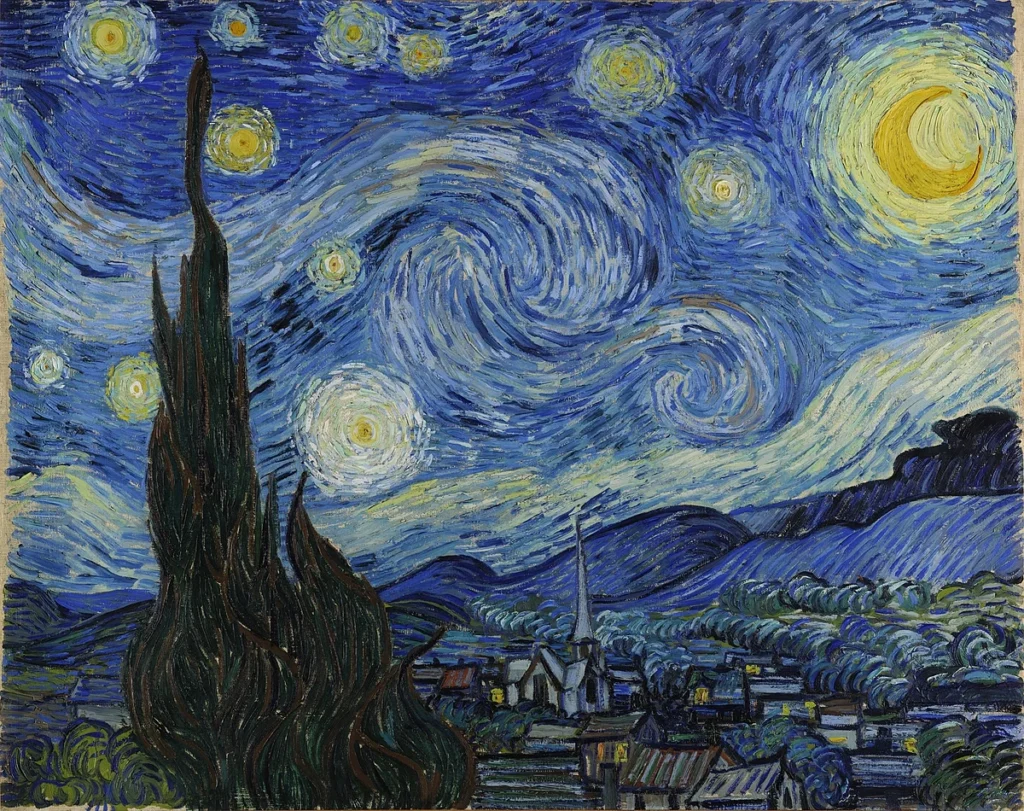
The minimal night sky always makes me think of how a few shapes can carry a whole mood. If you want to see a maximal version of the same idea (sky as emotion)Maybe take a look at The Starry Night by the famous Vincent van Gogh. Notice how much the composition leans on simple curves and dots even there! https://en.wikipedia.org/wiki/The_Starry_Night
Working inside the “4 lines, 5 dots, 1 curve” rule forced better choices. The long hill line became my anchor, the house lines gave the scene a place to rest, the five stars kept the eye moving, and the single curve sealed the mood without extra clutter. Next time I might shuffle the star positions into a looser constellation or thin the moon’s stroke, but I like how this version proves the point: a few intentional marks are enough to tell a whole story.
I was in the middle of playing a game called Hollow Knight, stuck in one of those quiet sections where the soundtrack shifts to a soft, almost classical theme. Ollie had curled himself into the pillow by my grandparents’ nightstand, ears tipped toward the TV like he was pretending not to listen. I was in a specific section of the game; one that played a soft, classical sounding soundtrack. Ollie really seemed to enjoy it as he seemingly struggled to stay awake as he listened.
I don’t blame him either; this track specifically was incredibly peaceful and serene. If I wasn’t the one playing the game, I may have fallen asleep as well. In fact, here’s the exact soundtrack that played; you can listen to it as well to see just what I mean! After playing, you too may understand just how peaceful it was.
I find it rare to find a moment in which Ollie pays attention to my gaming sessions, so I promptly took a picture of him. I grabbed my phone, framed the pillow and the edge of the nightstand so the scene felt quiet on purpose, and snapped the shot right before he finally let the sleep win. I then headed over to GIMP in order to further edit the scene. I felt as if making the image appear to be more of a drawing would fit more.
In order to actually nudge the photo into a sketch, I ran a quick filter in GIMP. I used the Desaturate tool first, then utilized the Cartoon filter to ink the edges more. I tightened contrast with the Levels tool so the textures felt like pen on paper. The black-and-white, comic-leaning look matches the calm of the scene and keeps the focus on Ollie listening. Although it’s a small moment, I felt it’s exactly the kind that makes the drawing version feel right.
I have always loved photography. From aerial to quick iPhone snaps, photography is a means of memorializing subjects that mean a great deal to you, and thus sharing it with others. However, the quality of those images you take matter. A blurry or photo taken with no care with not captivate an audience quite like a photo taken with great patience and timing. There are various ways one can help take this skill to the next level. I’ll first describe some important tips. Then, Ill describe what I personally feel are important to consider, along with how they connect with what duChemin says. Lastly, I’ll share some of my own personal experiences.
Key Concepts from “20 Ways to Make Better Photographs”
Get Pickier: When taking good pictures, It’s important to remember to compose images in your mind. By doing so, you allow yourself to better predict not only what would make a great photo, but also allow you to take the perfect photo at the perfect time.
Change Your Perspective: Changing your perspective can help to better engage your audience. Different angles of a subject help to really put the audience in your shoes.
Balance: duChemin tells about how the rule of thirds is not just placement on a grid, but rather visual mass. You need to take into account elements that draw more meaning into your photo.
Anticipate the Moment: When taking photos, an important thing to keep in mind is what are you taking a photo of? Are you taking a picture of something that’s happening now, or something that’s going to happen, such as the takeoff of a bird? In order to take pictures that engage an audience, It’s important to anticipate future action from your subject; will you be ready to take that perfect picture?
Becoming a Better Photographer
The DS106 “Visual Storytelling” material is blunt and actionable: be selective, use contrast, change your viewpoint, build depth, balance the frame, anticipate moments, respect light, and make exposure choices that serve the image. It’s less about rules and more about intentional shooting, which is exactly what I enjoy doing. As a conservation biologist major, I try to take images of animals that I find neat. As a result, intentional shooting is very hard, as animals are hardly predictable. I feel like this is also where duChemin’s point of “anticipation” really comes into play.
What is Visual Literacy?
Visual literacy is the ability to read and write with images. It’s the ability to make and interpret visual messages, not just look at pictures. Enhancing my own visual literacy abilities can help improve my own storytelling abilities, as I’ll know what to include and what not to include. By being able to effectively look at my own work and know what belongs and what doesn’t, I’ll be able to produce far better pieces.
The Story Behind Migrant Mother
The backstory of Dorothea Lange’s Migrant Mother explains why the image still hits; it’s composition, timing, and context combine into a symbol of Depression-era hardship. Lange almostdidn’t stop; when she did, she made a handful of frames that used posture, gaze, and the children’s turned faces to concentrate emotion. Knowing that history changes how I think about captions and series: context multiplies impact. This is why I find that adding a caption to my images adds so much depth; it allows my audience to understand why I selected that image to be shared.
Personal Practice
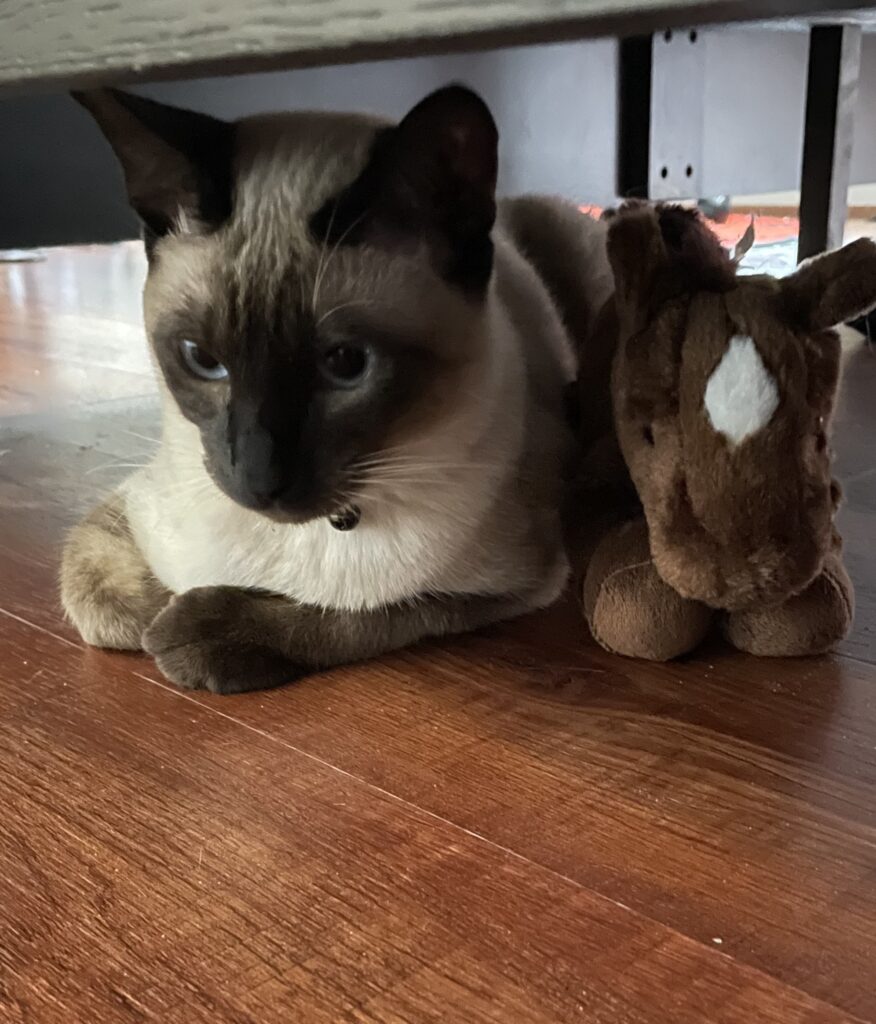
Through this week’s lessons, there are many ways I can improve my own photography skills. For once, anticipating the moment is highly important, especially someone in my field. Here’s a photo in which I had taken this skill into account, its a little silly as it involves my cat, but it’s a picture in which I had to anticipate him sitting down:
Another example I have is one in which I kept the angle of the photo in mind. The perspective really mattered when capturing this spider, as a frontal view would not have truly captured all the detail that I wanted to convey. By doing a top down angle, I can show my viewers the true size of the spider:
Conclusion and Call to Action
So to conclude, there are many factors that go into creating the perfect photo. Whether it be planned or not, its important to really think about everything you want to convey within your photo. What stories you are trying to tell. So to end off on a question, whats one thing you find that you’ve always taken into account when taking your photos, and whats one thing you never really consirdered doing?